Traditional Wayland compositors have a monolithic architecture that combines the
compositor and window manager into a single program. This has the downside of
requiring Wayland window managers to do the significant work of implementing an
entire Wayland compositor as well.
The new 0.4.0 release of river, a non-monolithic Wayland compositor, breaks
from this traditional architecture and splits the window manager into a separate
program. There are already many window managers compatible with river.
The stable river-window-management-v1 protocol gives window managers full
control over window position, keybindings, and all other window management
policy while river itself provides frame-perfect rendering, good performance,
and all the low-level plumbing required.
This blog post gives a high level overview of the design decisions behind this
protocol. This is roughly the same information I presented in my FOSDEM 2026 Talk.
Display Server, Compositor, Window Manager
The traditional Wayland architecture combines three separate roles in the
compositor process:
Display Server: Route input events from the kernel to windows and give the
kernel buffers to display.
Compositor: Combine all buffers from visible windows into a single buffer to be
displayed by the kernel.
Window Manager: Arrange windows, define keybindings, other user-facing behavior.
To understand why Wayland compositors thus far have chosen to combine these
roles, it is first necessary to understand some of the fundamental problems with
X11’s architecture that Wayland was designed to solve.
With the X11 protocol, the display server is a separate process from the
compositor and window manager:

Following the steps taken from a user clicking on a button in a window to the
change in the window’s displayed content is quite informative. Referring to the
numbers in the diagram above:
The user clicks on a button in a window.
The kernel sends an input event to the display server.
The display server decides which window to route the input event to.
Already there is a problem here: since the display server is not aware
of the compositor’s scene graph it cannot be 100% sure which window
is rendered under the user’s mouse at the time of the click. The
display server makes its best guess and sends the event to a window.
The window submits a new buffer to the display server.
The display server passes the window’s new buffer on to the compositor.
The compositor combines the window’s new buffer with the rest of the user’s
desktop and sends the new buffer to the display server.
The display server passes the compositor’s new buffer to the kernel.
With this architecture, the display server is acting as an unnecessary
middle-man between the kernel, X11 windows, and compositor. This results in
unnecessary roundtrips between the display server and compositor, adding
latency to every frame.
The traditional Wayland architecture eliminates these unnecessary roundtrips
and solves the input routing problem mentioned in step 2. by combining the
display server and compositor into a single process:

Traditionally, Wayland compositors have taken on the role of the window manager
as well, but this is not in fact a necessary step to solve the architectural
problems with X11. Although, I do not know for sure why the original Wayland
authors chose to combine the window manager and Wayland compositor, I assume it
was simply the path of least resistance. It is not trivial to design a window
management protocol that keeps all the advantages of Wayland, but it’s certainly
possible.
Window Management Protocol Design Constraints
The river-window-management-v1 protocol is designed to give window managers
maximum control without losing any of the key advantages of Wayland.
Specifically, the window management protocol must not require a roundtrip every
frame or every input event. There should be no input latency penalty compared to
the traditional monolithic Wayland architecture when, for example, typing into a
terminal emulator or playing a game.
Furthermore, the Wayland ideal of “frame perfection” must be upheld. To
illustrate what frame perfection means in the context of window management,
consider the following example: several windows are in a tiled layout taking up
the entire display area and a new window is opened. The window manager decides
to add the new window to the tiled layout, resizing and rearranging the existing
windows to make space.
In this case, frame perfection means that the user must not see a frame where
there is a gap in the tiled layout or where windows are overlapping and have
dimensions that do not fit cleanly with their neighbors. Achieving frame
perfection here requires waiting to render the new state until all windows have
submitted buffers with the newly requested dimensions.
Note however that frame perfection is only achievable if the windows are drawn
by well-implemented programs. The compositor cannot delay rendering the new
state forever while waiting for windows to submit new buffers, delaying too long
makes things feel less responsive to the user rather than smoother. To solve
this the compositor uses a short timeout. If windows are too slow, frame
perfection is not possible.
Window Management State Machine
The river-window-management-v1 protocol divides the state managed by the
window manager into two disjoint categories: window management state and
rendering state.
Window management state influences the communication between the compositor and
individual windows. It includes window dimensions, fullscreen
state, keyboard focus, keyboard bindings, etc.
Rendering state on the other hand only affects the rendered output of the
compositor and does not influence communication between the compositor and
individual windows. It includes the position and rendering order of windows,
server-side decorations, window cropping, etc.
To achieve frame perfection, the modifications made to this state by the window
manager are batched into atomic updates by the river-window-management-v1
protocol. Changes to window management state can only occur during a “manage
sequence” and changes to rendering state can only occur during a “render
sequence.”

As seen in the state machine above, the compositor initiates manage/render
sequences and no roundtrip with the window manager is required when no
window-management-related state has changed. In other words, the window manager
stays idle while the user is, for example, typing into a terminal and is woken
up again when, for example, the user triggers a window manager keybinding or a
new window is opened.
At the same time, frame perfection is possible even with complex tiled layouts
or server-side decorations rendered by the window manager. The compositor
handles all the synchronization work with the windows and the window manager
only needs to, for example, adjust the position of windows or size of its server
side decorations to adapt to the new window dimensions.
This state machine is not really a new idea, something similar can be found
hiding inside most existing Wayland compositors including river-classic and
sway for example. In a way, this state machine is a clarification and
formalization of the internal architecture used by older river versions. It is
the result of 6+ years of experience working on river and slowly refining the
architecture over time.
Motivation
Separating the Wayland compositor and window manager greatly lowers the barrier
to entry for writing a Wayland window manager. Window manager authors can focus
on window management policy without needing to implement an entire Wayland
compositor as well. While libraries such as wlroots make writing a compositor
somewhat easier, it remains a great deal of work. Writing a Wayland compositor
is not a weekend project, but with the new river-window-management-v1 protocol
writing a basic but usable Wayland window manager over the weekend is now very
possible.
The window manager developer experience is also greatly improved. A window
manager crash does not cause the Wayland session to be lost. Window managers can
be restarted and switched between. Debugging a window manager is much less
of an ordeal than debugging a Wayland compositor. Anyone who has written a
Wayland compositor knows the pain of debugging issues that only reproduce when
running on “bare metal” (i.e. using DRM/KMS directly), one might be forced to
ssh in from a different computer to figure out what has gone wrong.
Furthermore, window managers can be implemented in slow, high-level,
garbage-collected languages without sacrificing compositor performance/latency.
Having a garbage collector in the compositor is great way to miss frame
deadlines and cause input latency spikes. However, since the
river-window-management-v1 protocol does not require a round-trip with the
window manager every frame, having a garbage collector in the window manager
does not really matter. I don’t have any performance issues daily driving my
slow, garbage-collected window manager on a >10 year old ThinkPad x220.
Wayland currently does not come close to the diversity of X11 window managers.
I believe that separating the Wayland compositor and window manager will change
this and I see the beginnings of this change with the 15 window managers
already written for river!
Limitations
The river-window-management-v1 protocol does not support use-cases that deviate
from the traditional, 2D desktop paradigm. This means no VR support for example.
Crazy visual effects like wobbly windows are also out of scope for river currently,
though simple animations already work well. I am open to exploring custom shaders
to give window managers more control over rendering eventually but don’t expect
that to happen for a year or two at the earliest, there are other priorities for now.
I am not aware of any limitations river places on window management policy that
cannot be resolved by extending the protocol. If you are developing a window
manager and have a use-case that river does not yet support please open an issue
and we will figure out how to get it supported!
Roadmap
With the 0.4.0 release, river is already more than featureful enough to daily
drive in combination with a window manager of your choice. Furthermore, the
river-window-management-v1 protocol is stable, we do not break window
managers.
The best way to get a sense of what features are planned to be added in the
future is to look at the accepted label on our issue tracker.
As far as what needs to happen before river 1.0.0, I want to explore some ideas
for how to improve the UX of starting and switching between river compatible
window managers. All window managers written for river 0.4.0 will remain
compatible with river 1.0.0 and beyond, but I may need to make minor breaking
changes to river’s CLI depending on how those plans work out. In any case,
expect the next major river release to be 1.0.0!
Donate
Unfortunately, the current pace of river’s development is not sustainable
without more financial support. If my work on river adds value to your life
please consider setting up a recurring donation through liberapay. You can
also support me with a one-time or monthly donation on github sponsors or
ko-fi though I prefer liberapay as it is run by a non-profit. Thank you for
your support!
Gallery
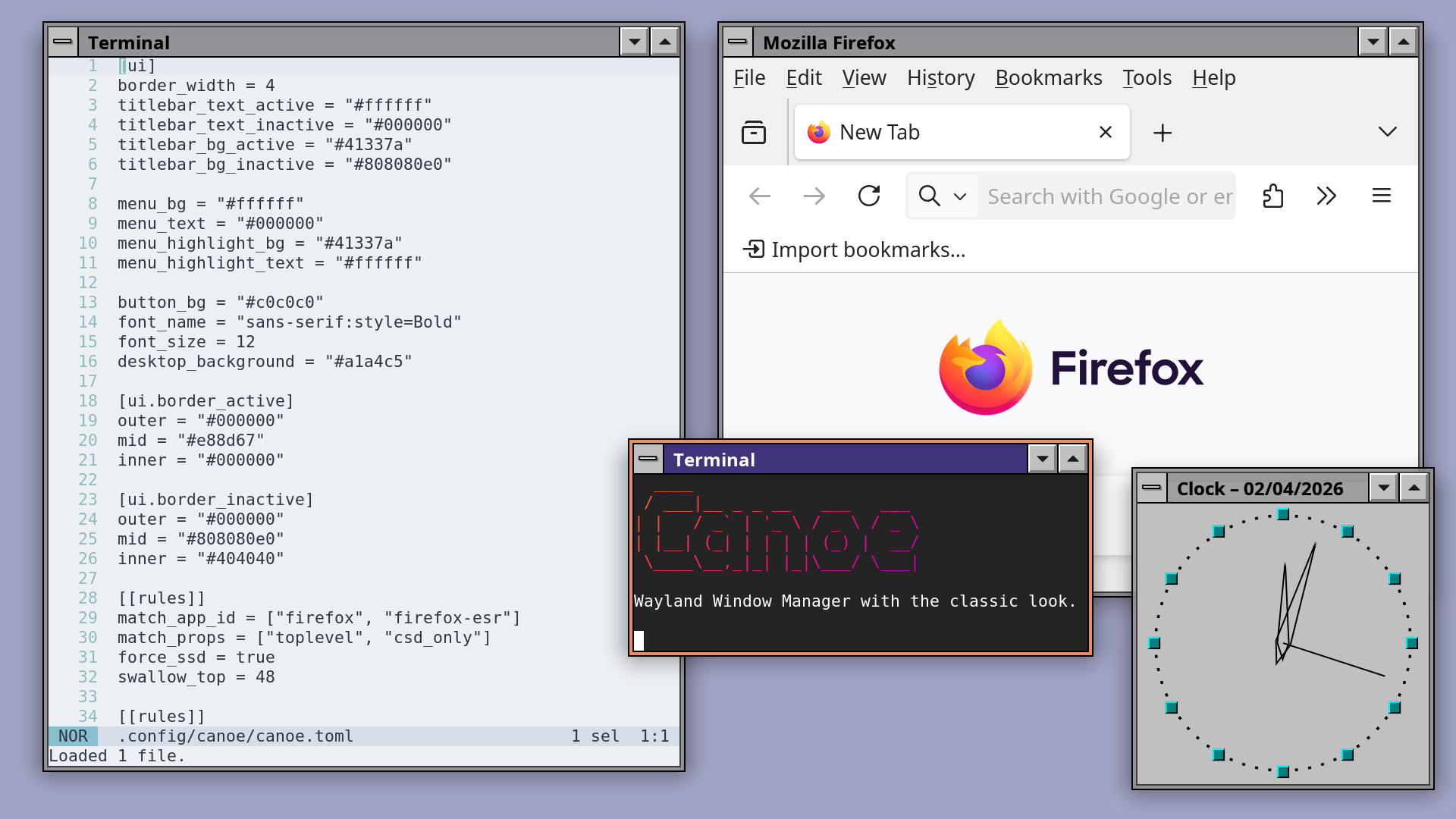
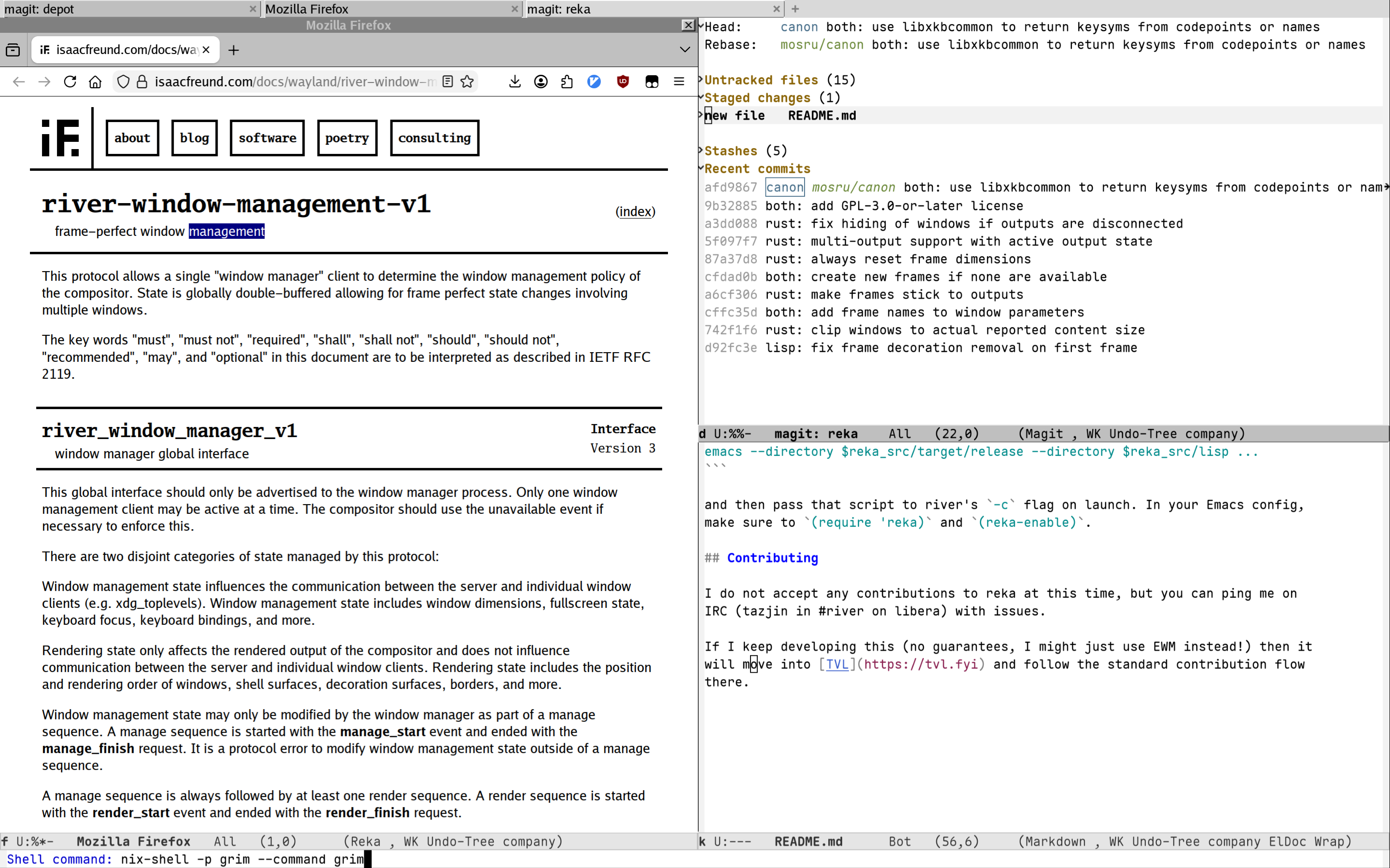
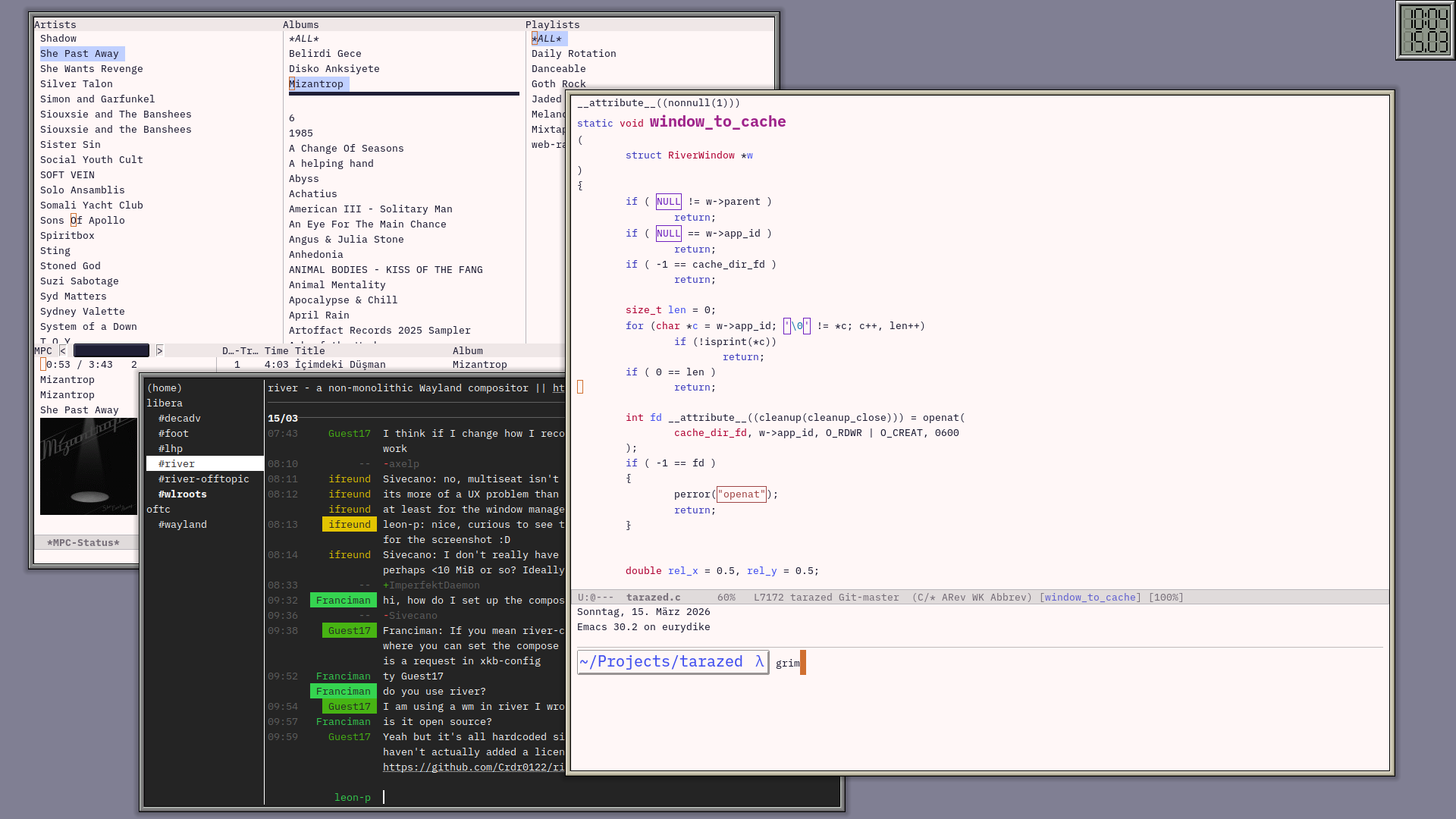
To make all this talk about window managers a bit more tangible, please enjoy
these screenshots of window managers running under river. Note that this
selection is heavily biased towards the most visually interesting window managers,
there are plenty of other excellent window managers to choose from!
Canoe - Stacking window manager with classic look and feel:
reka - An Emacs-based window manager for river (similar to EXWM):
tarazed - A powerful and distraction-free desktop experience:
rhine - Recursive and modular window management with animations: